IPSuite Tools – Network Scanner & LAN Speed Test
A downloadable tool for Windows
IPFlexSpeed
LAN Speed Testing Tool
Community Edition
IPFlexSpeed is a lightweight network tool designed to measure real
download and upload speed between two computers inside a local network (LAN).
The software uses a Client / Server architecture to test network
throughput and help technicians verify network performance.
Features
-------------------------------
• Download speed measurement
• Upload speed measurement
• Client / Server architecture
• Simple graphical interface
• No installation required
• Lightweight and fast
Package Contents
--------------------------------
Client
IPFlexSpeed_Client.exe
Server
IPFlexSpeed_Server.exe
Quick Start
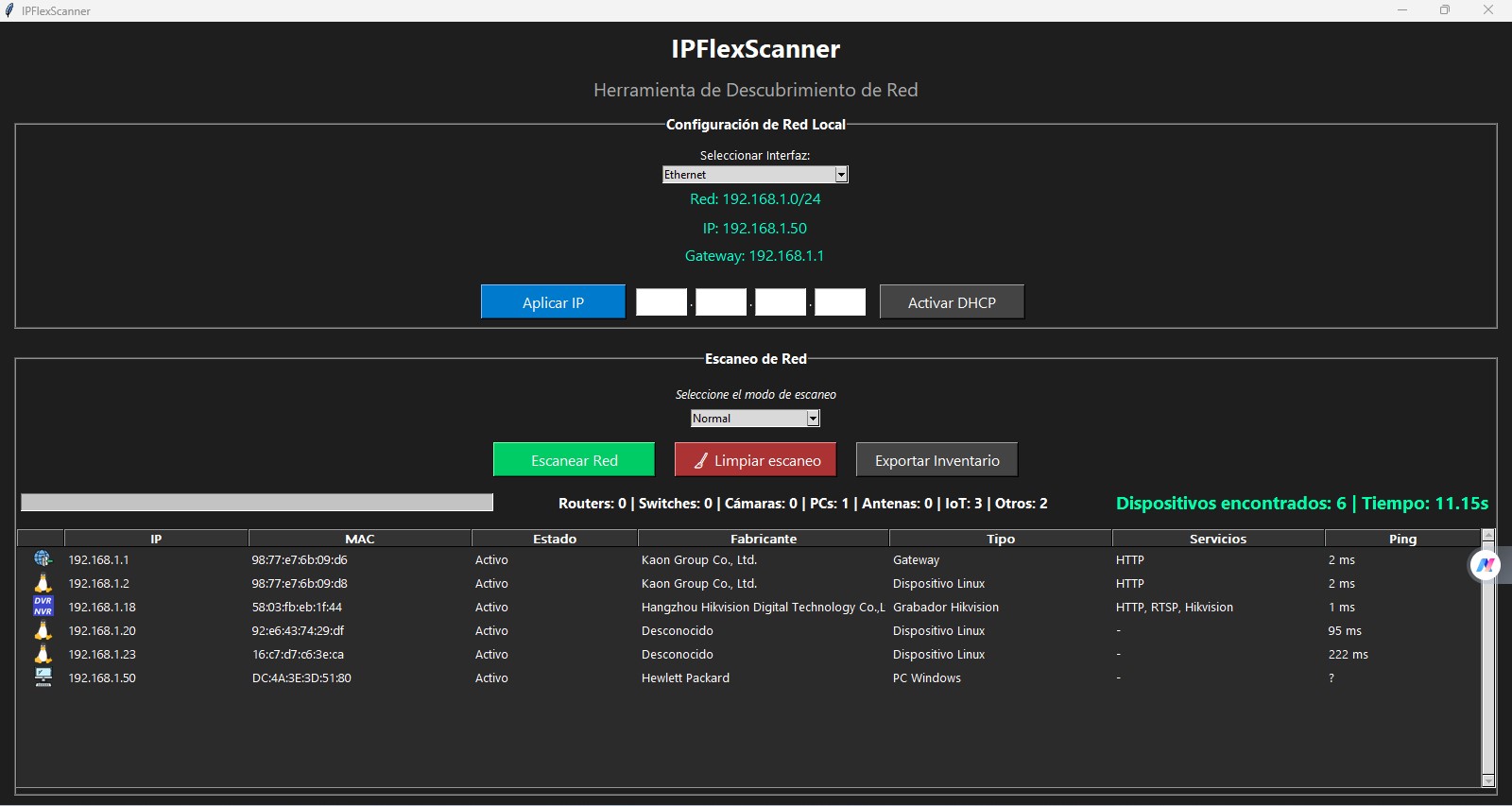
IPFlexScanner is a network scanning tool designed to detect devices
and services inside a local network. It helps administrators and
technicians identify network devices and analyze network infrastructure.
Features
--------------------------------
• Network device discovery
• Service detection
• Device identification
• Fast network scanning
• Simple graphical interface
Typical Uses
--------------------------------
• Identify devices connected to a network
• Detect open services
• Map small networks
• Troubleshoot network connectivity
Download
Install instructions
For IPFlexSpeed
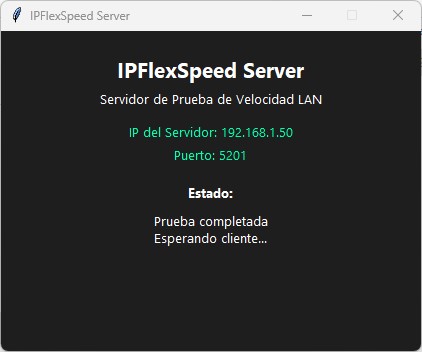
1. Run IPFlexSpeed_Server.exe on one computer.
2. The server window will display the IP address.
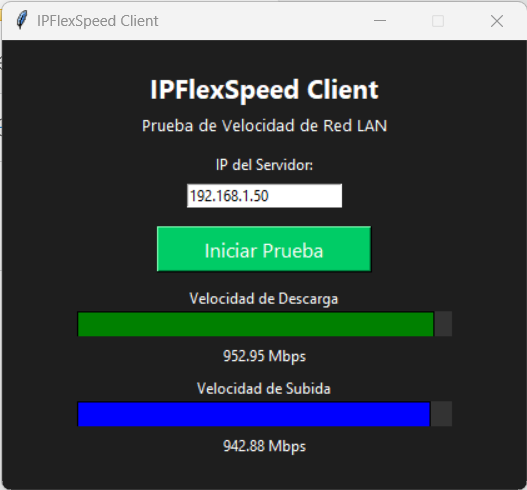
3. Run IPFlexSpeed_Client.exe on another computer.
4. Enter the server IP address.
5. Click "Start Test".
The program will measure:
Download Speed
Upload Speed
For IPFlexScanner.
1. Download and extract the ZIP package.
2. Run the program:
IPFlexScanner.exe
No installation is required.
3. Enter the network you want to scan.
Example:
192.168.1.0/24
4. Click the "Scan" button.
5. The program will start scanning the network and display
the devices detected.